
One product.
Every design.
Every name.

Product personalisation for WooCommerce. Customers pick a design, type a name and watch it appear on the product. Every order arrives with a print-ready vector file, sized exactly as you set it.
One product, every design
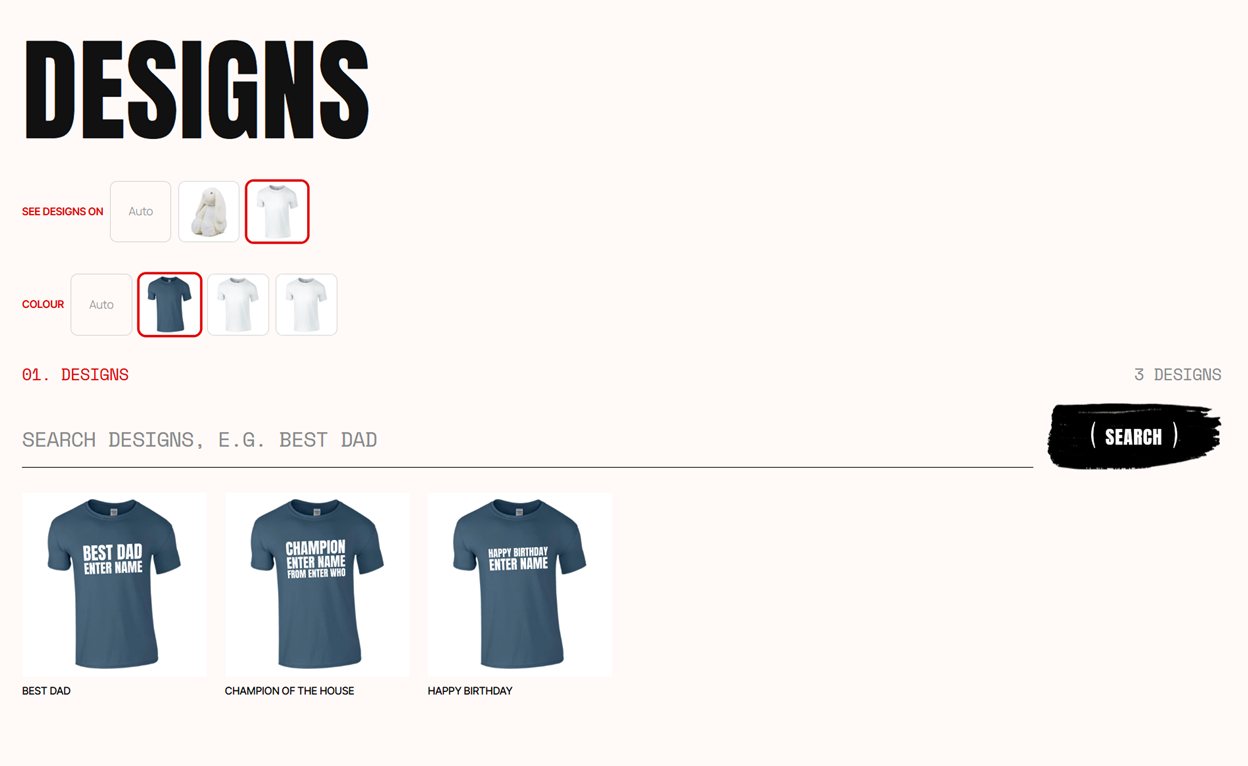
Customers choose the design first and the product second, so a shirt or a mug is set up once. From then on every design in your catalogue works on it, including the ones you add next month.
You write the design
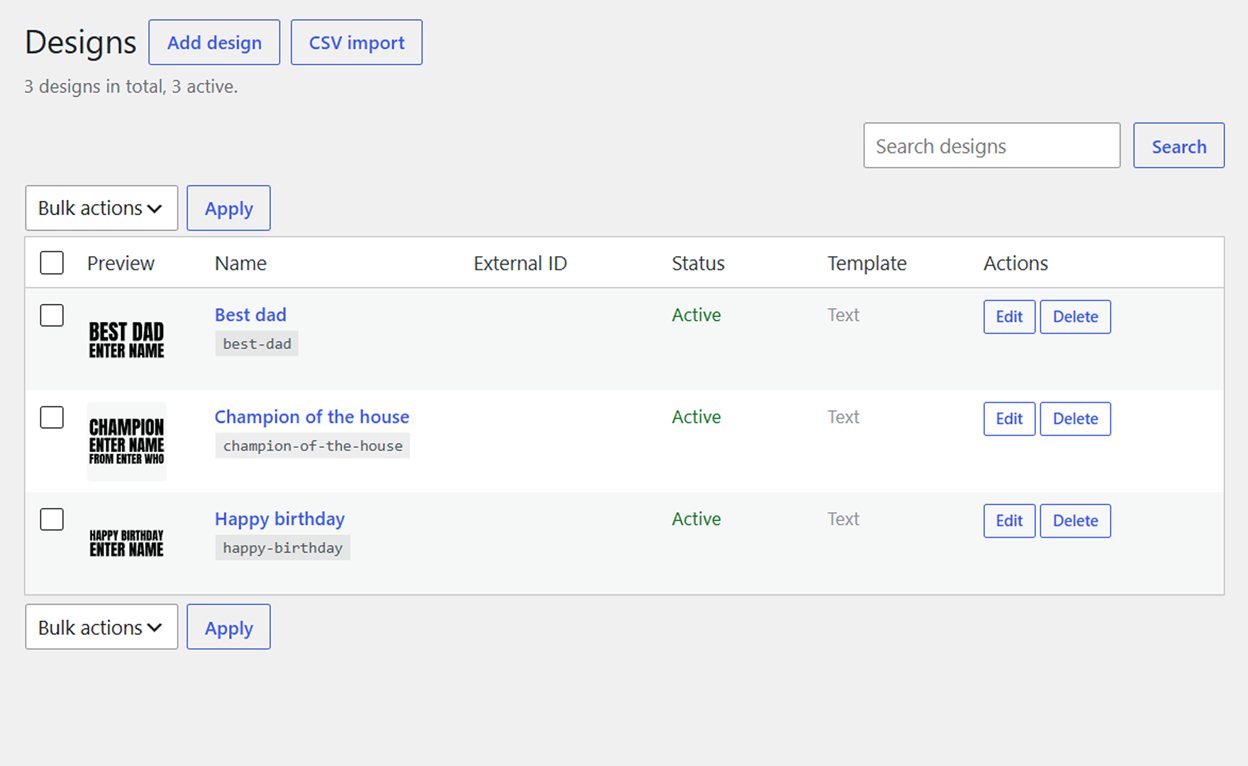
A new slogan is just its text: type it, mark the part the customer fills in, save. No artwork to draw, nothing to upload.
They type their name
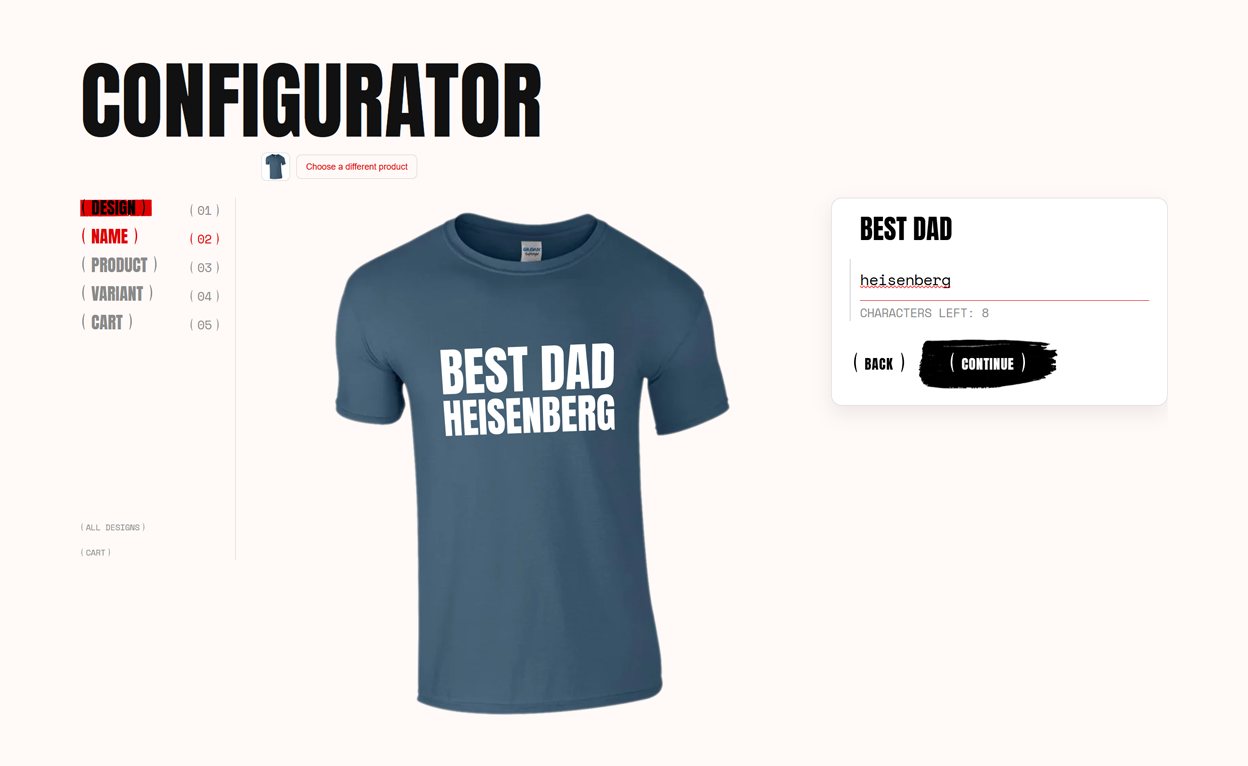
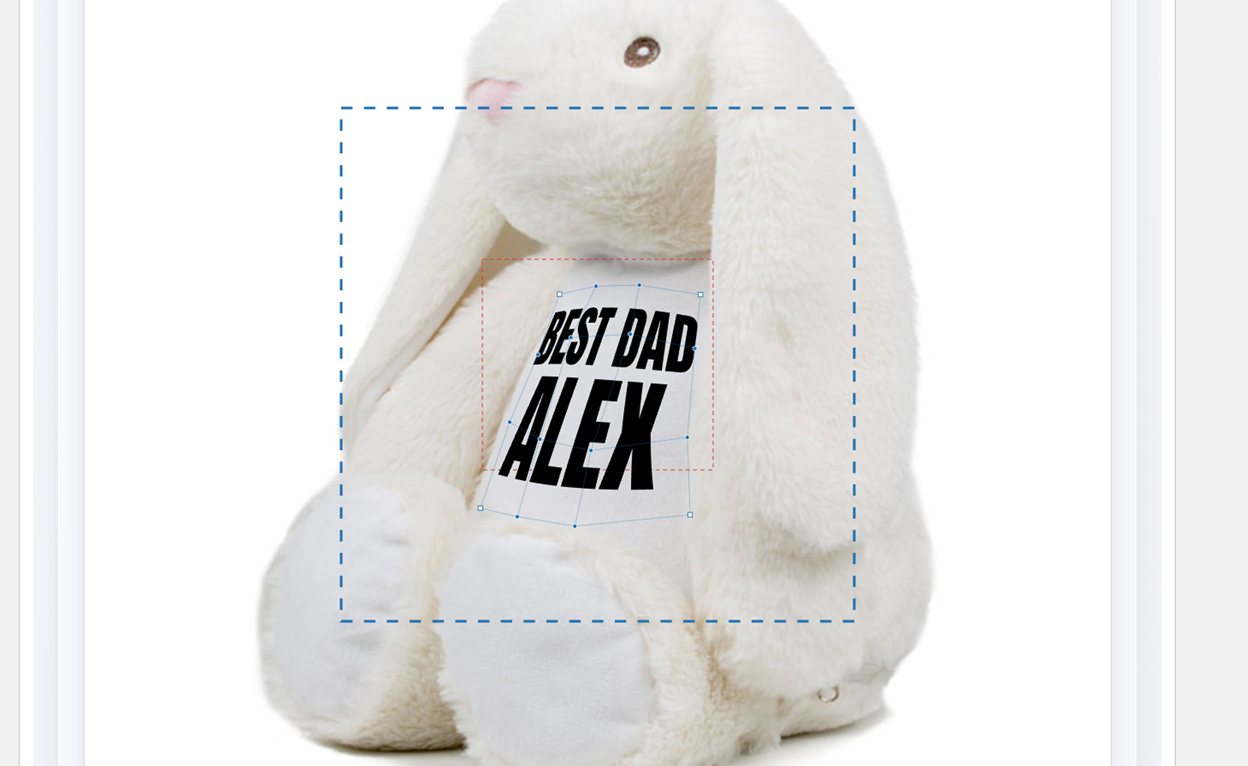
The customer picks a design, types a name and sees it on the real product photo, in the right colour, before they buy.
You get the print file
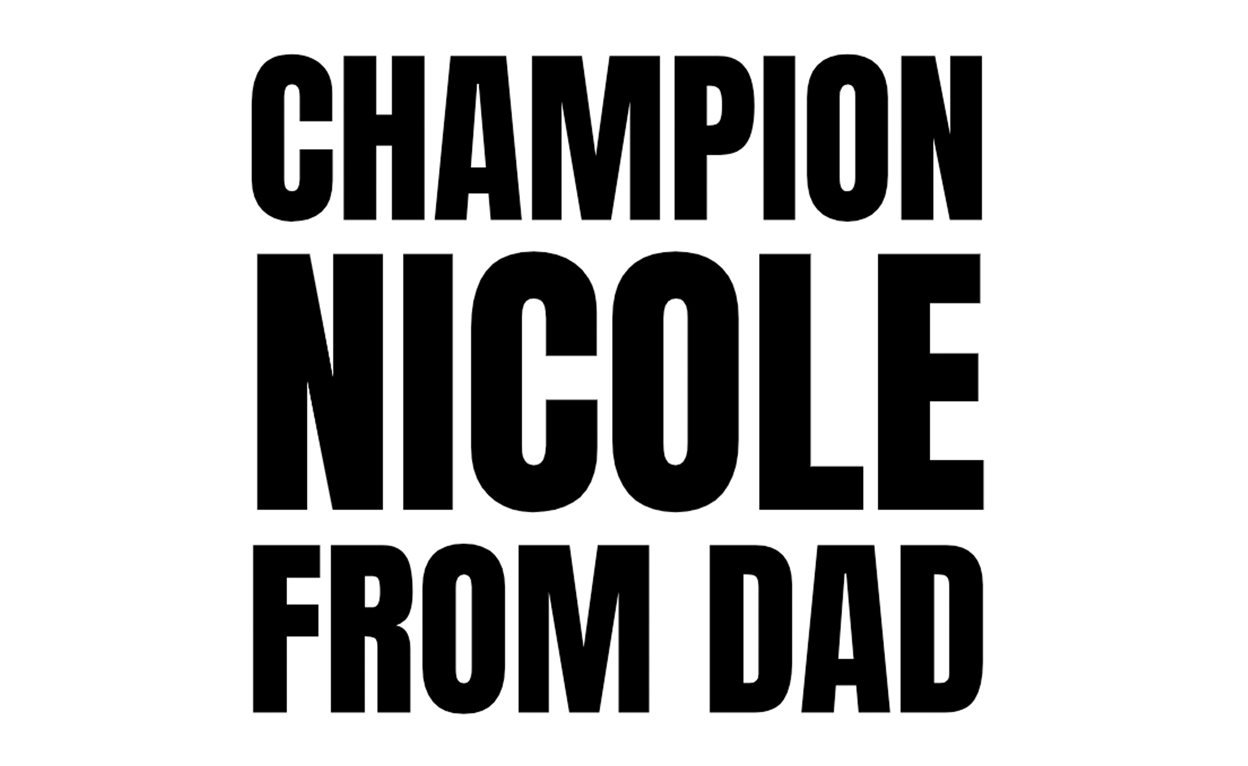
Every order carries an SVG at the exact ratio you set for that product. Vector, so it scales to any print size.
What the free plugin does
Everything runs on your own server. There is no external service, no per-order fee and no account to sign up for.
- A searchable catalogue of designs, with categories
- Live preview on a mockup of the real product, with no page reloads
- Print-ready SVG with every order, at the exact size you set
- Per-product print position, colour and canvas
- Bulk CSV import for large catalogues
- Works with variable products: colour and size change the mockup
- Production email with the print file attached
- Each design gets its own address and page, so search engines can find it
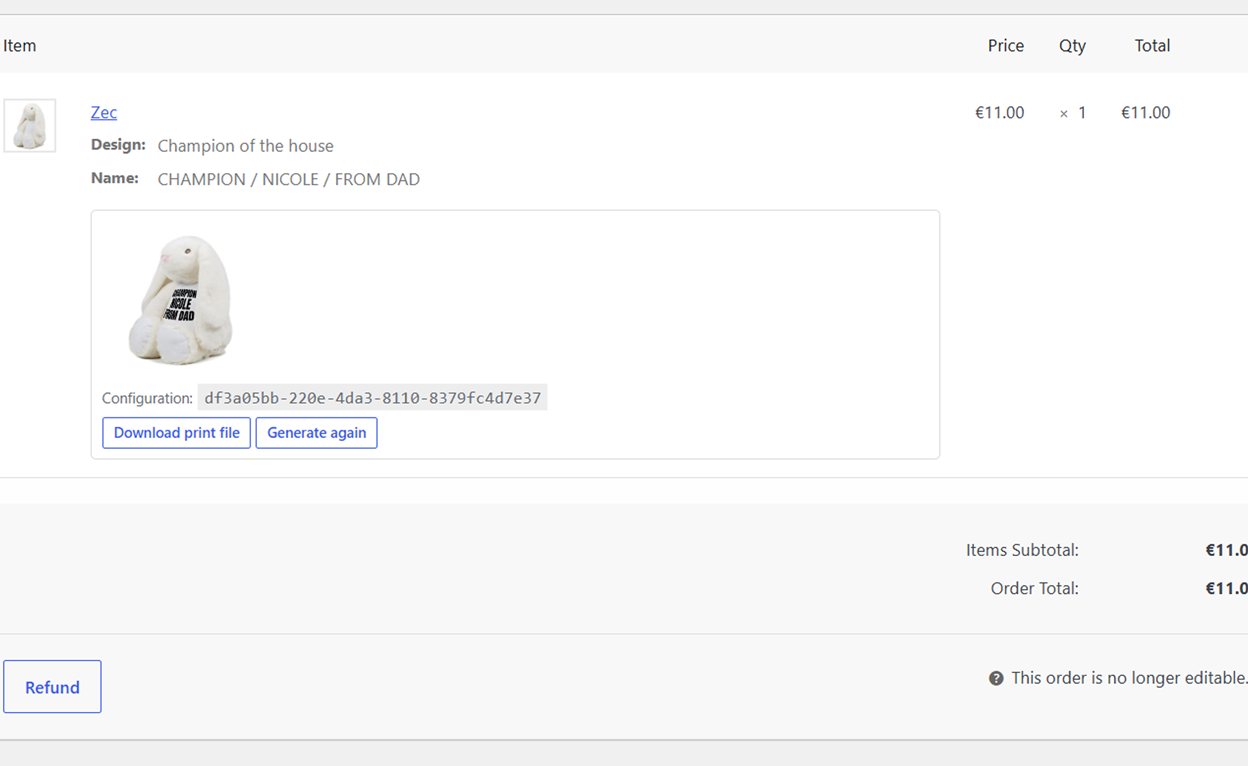
What it looks like
From the customer’s first screen to the file that comes out of the order.

Free, and Pro when you need it
The free plugin is complete on its own. Pro is an add-on, installed alongside it, for shops whose customers bring their own words and pictures.
Free
On WordPress.org · GPL
- Design catalogue and configurator
- Live preview on the real product
- Print-ready SVG with every order
- CSV import, categories, design pages
- Support in the WordPress.org forum
Pro
From €99 a year
- Own text — the customer writes their own lines, and picks the font, spacing and margins
- Own artwork — they upload an SVG or image, checked and rebuilt before it reaches print, and held for your approval
- Personalised on the product page — a name field on an ordinary product, with a live preview
- Generated product and sharing images
- Support by email, answered by the author
| Pro licence | Per year |
|---|---|
| 1 shop | €99 |
| 5 shops | €199 |
| Unlimited | €399 |
Questions
Do I need an account with an external service?
No. Everything runs on your own server. Designs live in your database, generated files in your uploads folder, and the plugin makes no outbound calls.
What file do I get when someone orders?
An SVG, at the ratio you set for that product. It is vector, so it scales to any print size without loss. The production email links to it, and it is also on the order in the admin.
Does it work with variable products?
Yes. Colour and size are read from the variation, and each colour can have its own mockup image and its own print colour — white on dark shirts, black on light ones.
Will it slow my shop down?
No. The output is vector, so nothing is rasterised. A render takes about 17 ms and uses under 0.1 MB beyond what WordPress already uses. Nothing is rendered until a customer asks for it.
What happens to Pro when the licence expires?
The plugin keeps working and every order you have already taken keeps its print file. What stops is updates and support until the licence is renewed.