
Guide
Custom name on a jersey, a hat or a backpack: how to sell what shoppers search for
Every day people type “custom name on jersey”, “custom name on hat”, “custom name on backpack”, “custom name on watch”, “custom name on bottle” and “custom name onesie” into a search box. They are looking for a shop that will do it. Here is what each of those products asks of the shop, and how to sell all of them from WooCommerce.
Why these searches are worth a shop’s attention
Somebody searching for a custom name on a product has already decided to buy. They are not browsing for inspiration, they want one thing with one name on it, usually as a gift and usually by a date. What stops them is not the price. It is not being sure what they will get.
So the shop that wins these searches is the one that shows the name on the product before the customer pays. The rest of this guide is about the six products people ask for most, what each one needs in practice, and where the name has to go.
Custom name on a jersey
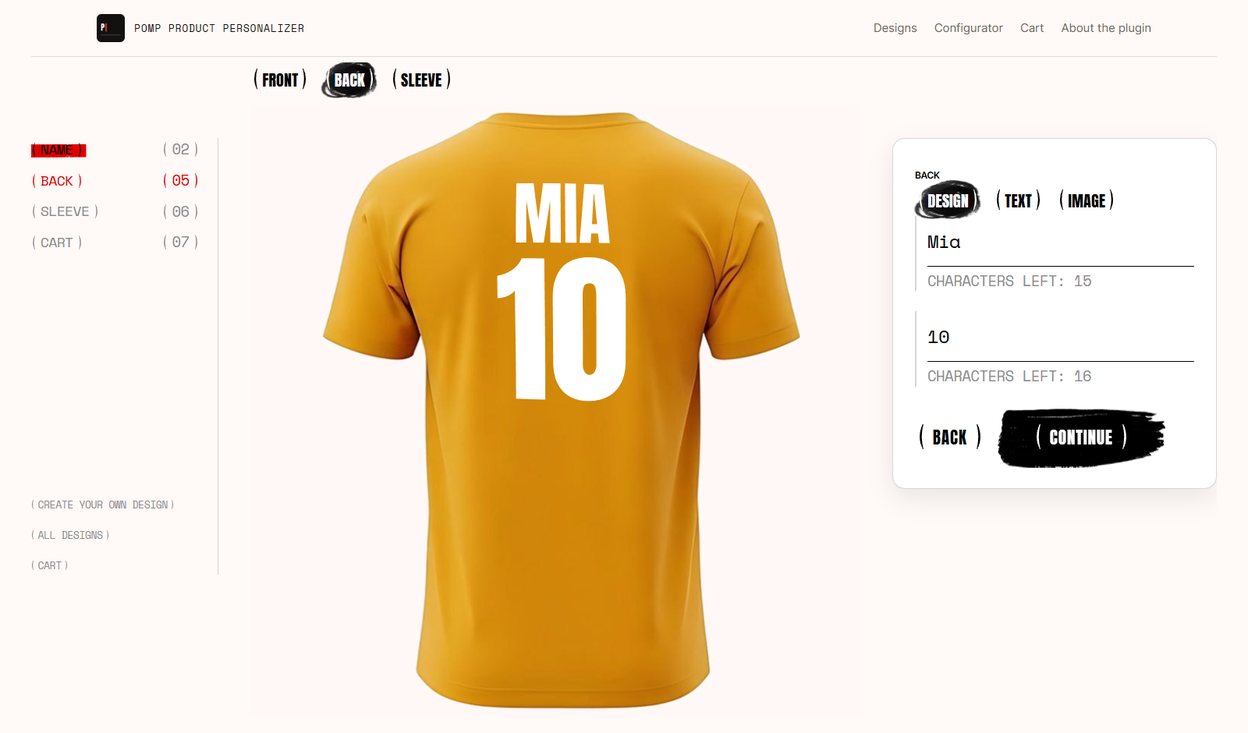
A sports jersey with a custom name almost always means two lines: the surname across the shoulders and a number underneath. Fans want their own name on their team’s colours, clubs want a whole squad at once, and parents want one for a child who has just joined.
- How it is made: heat transfer vinyl or DTF, pressed onto the back. Vinyl is cut from vector outlines, so the file has to be vector, not a photo of the letters.
- What to set up: a design with two lines, one box for the name and one for the number, and the print area on the upper back. Give the number a line height of up to 300 % and the name about 40 %, and the number stands under the name as large as on a real jersey.
- Front and back: the club crest on the chest and the name and number on the back are one product with two sides in Pomp Pro. Each side is shown on its own photo, filled in on a step of its own, and arrives with its own print file. A sleeve’s print area is simply drawn tall and narrow, so its print file is the narrow strip it is.
- What goes wrong: long surnames. Set a character limit, around twelve, and let the design shrink a longer name to fit rather than letting it run off the shoulders.
- Colours: white letters on a navy jersey, black on a white one. The print colour has to follow the jersey colour the customer picks.
Custom name on a hat
A custom name on a hat or a cap is a small print on a curved surface, which makes it the hardest of the six to preview honestly. Flat artwork laid over a photo of a cap looks wrong, and customers notice.
- How it is made: a DTF transfer or vinyl for printed caps, embroidery for the classic look. Embroidery needs the lettering digitised into stitches; a vector file is where the digitiser starts, not the stitch file itself.
- What to set up: a narrow print area on the front panel, one short line, and a warp that bends the preview over the crown of the cap.
- What goes wrong: thin script fonts. At cap size they fill in or break up. Pick a bold face and keep names short.
Custom name on a backpack
A custom name on a backpack is mostly bought for children starting school, so the name has to be readable from across a playground and survive being dropped in the rain.
- How it is made: printed onto the front pocket, or onto a patch that is sewn or ironed on. Both start from the same vector lettering.
- What to set up: one line, a print area the size of the pocket, and large letters. A backpack is seen from metres away, not from arm’s length.
- What goes wrong: the pocket is smaller than it looks in the product photo. Measure the real one before you set the print area.
Custom name on a watch
A custom name on a watch is engraving: on the case back, on the clasp, or on a leather strap. It is one of the most common anniversary and graduation gifts, and buyers often want a date as well as a name.
- How it is made: laser engraving. The laser follows vector outlines, so the file has to be vector, and it has to be one colour.
- What to set up: two short lines, the name and the date, a small round or oval print area, and black as the print colour so the preview reads as engraving.
- What goes wrong: hairline fonts. What looks elegant on screen disappears at a few millimetres. Test your font on a real case back before you sell it.
Custom name on a bottle
The idea of a bottle with your own name on it is familiar from drinks advertising, and people search for it for weddings, birthdays and corporate gifts. For a shop it means one of three things.
- A printed label on a bottle of wine, oil or a spirit, with the name set in the label’s own design.
- A vinyl decal on a glass or a reusable bottle, cut from vector outlines.
- Laser engraving on a stainless steel bottle, one colour, like the watch.
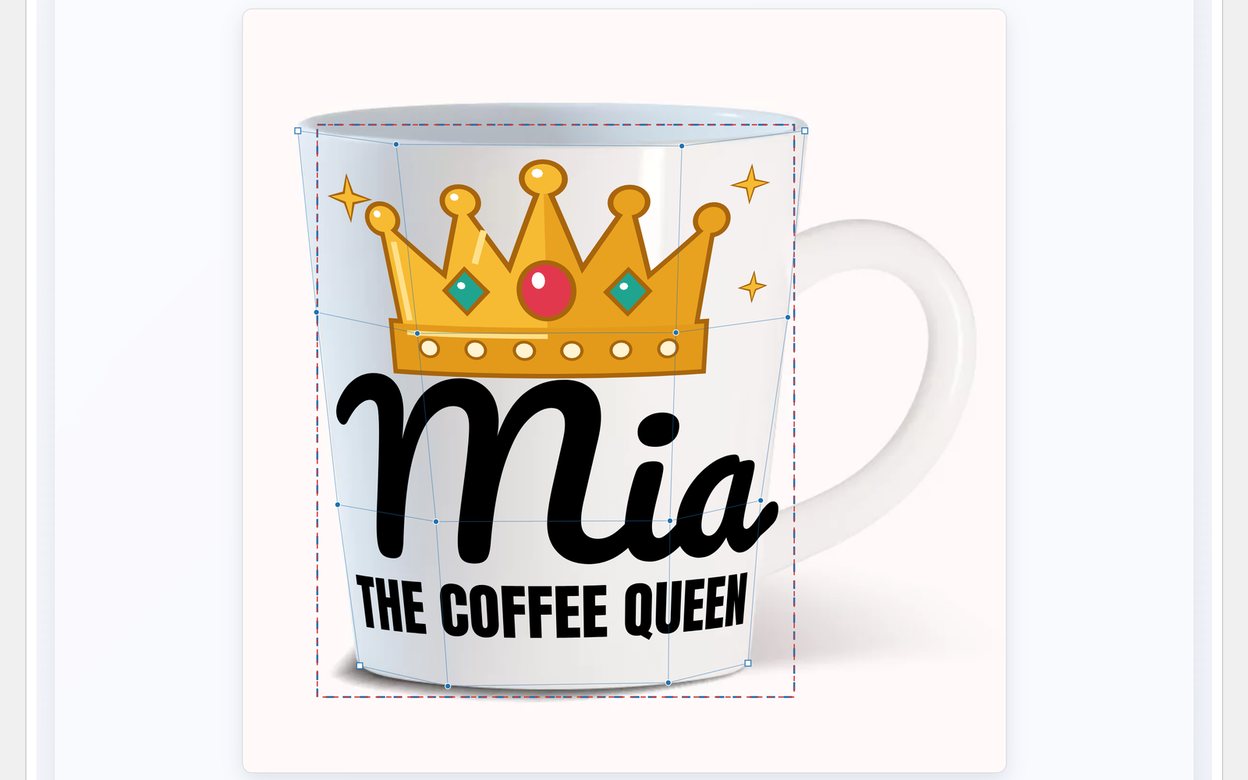
All three wrap around a cylinder, so the preview has to bend with the bottle. A name that sits flat on a photo of a curved bottle is the fastest way to lose the sale.
Custom name onesie
A custom name onesie, or baby bodysuit, is a birth or baby shower gift, and it nearly always combines a small drawing with the name: stars, a bunny, a moon, with the name and sometimes the birth date underneath.
- How it is made: DTF or heat transfer vinyl on cotton, pressed at low heat. The print has to stay soft.
- What to set up: designs built around a drawing, with the name placed under it, and one line for the date if you offer it.
- What goes wrong: sizes. A newborn bodysuit and an eighteen-month one have very different chests, and sizes are usually variations of one product that share one print. Set the print area for the smallest size, or sell the smallest sizes as a product of their own.
What all six have in common
- The customer has to see it first. A text box that takes the name and says nothing more leaves the customer guessing, and guessing is what makes them leave.
- The file has to be vector. Vinyl, DTF, engraving and embroidery digitising all start from outlines, not from pixels.
- Short is safer. Every one of these products has a small print area. Limit the characters and let long names shrink rather than overflow.
- The colour follows the product. White on dark, black on light, one colour for engraving.
For the general question of how to let customers type a name onto any product, and the three ways shops do it, see how to let customers put their own name on a product.
Selling all six from one WooCommerce shop
Pomp Product Personalizer is a free WooCommerce plugin built for exactly this. You set each product up once: where the print sits, how it bends if the surface is curved, and what colour it prints in on each variation. Then you add designs, and every design works on every product.
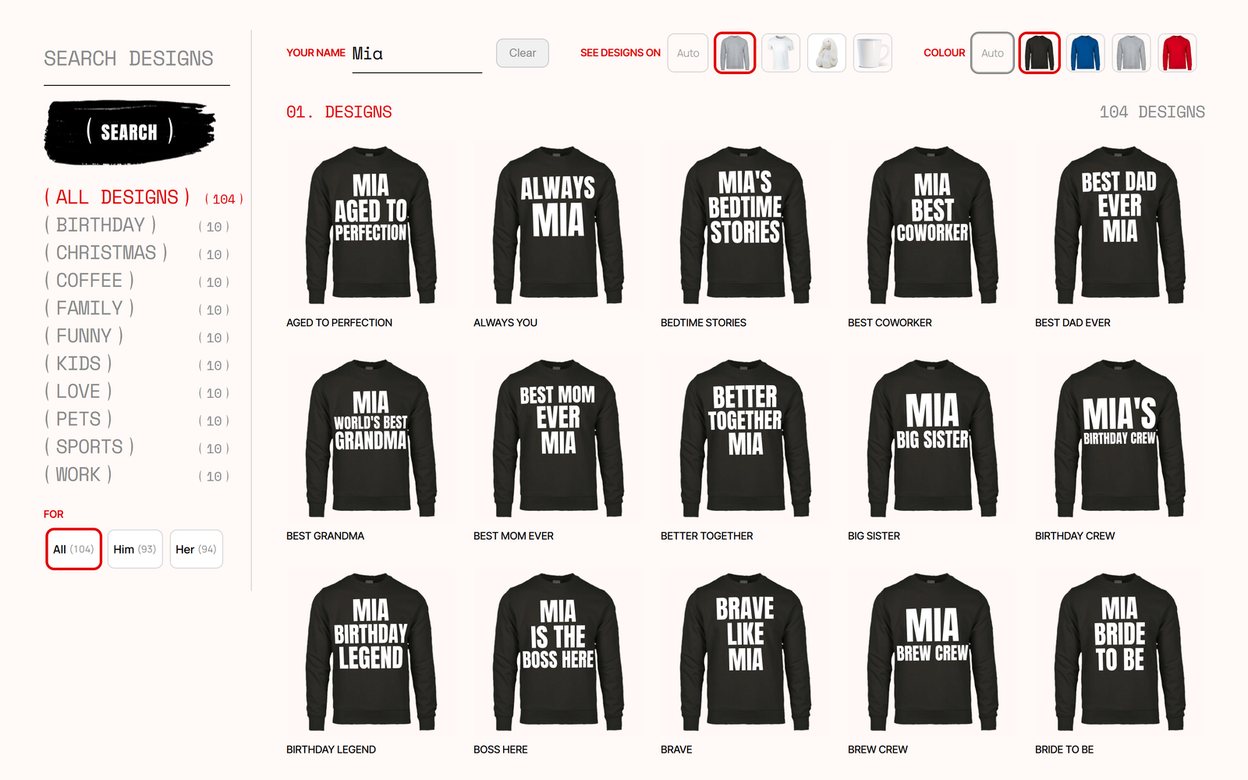
The customer picks a design, types the name, and sees it on a photograph of the real jersey, cap or bottle, bent to its shape. The order arrives with a print-ready SVG in the shape of the print area, ready for vinyl cutting, DTF or the laser.
With Pro the customer can also write the whole text themselves, or upload their own logo, a club crest for the jersey or a monogram for the watch. It is shown on the product, checked for print and approved by you before its file is issued.
It runs on your own server, with no per-order fee and no account to sign up for. The manual covers every setting, and the demo shop lets you order a personalised shirt to see what arrives on the other side.