
Guide
WooCommerce product customizer or t-shirt designer: how to choose
Search for a WooCommerce product customizer and you get product designers, t-shirt designers, configurators, personalizers and product add-ons, often described in the same words. They are four different kinds of plugin, and a shop that picks the wrong kind pays for features its customers never use while missing the one they needed.
The four kinds
| Kind | What the customer does | Suits |
|---|---|---|
| Product designer, t-shirt designer | Starts from a blank product and lays out text, clip art and uploads freely | Custom apparel and promotional shops whose customers arrive with their own idea |
| Personalizer | Picks a finished design and fills in a name, or in some also writes their own text or uploads a logo | Gift, name and event shops, where the design is the shop’s and the name is the customer’s |
| Visual configurator | Chooses options, such as colour, material or parts, and sees the product change | Furniture, jewellery, bikes: products assembled from options |
| Product add-ons | Fills in form fields: text, dropdowns, checkboxes, uploads | Any shop that needs extra information with the order and no picture of it |
Product designers and t-shirt designers
A product designer gives the customer a canvas. They choose a shirt, add a line of text, drag it into place, pick a font, upload a logo, add a second line on the back. This is what most people mean by a t-shirt designer, and the well-known ones for WooCommerce are Zakeke, a hosted service, and Fancy Product Designer, a plugin sold on CodeCanyon.
The freedom is the point, and also the cost. A blank canvas asks the customer to be a designer, and most are not: some stop at the empty shirt. The ones who carry on send in layouts the shop then has to check, because nothing stops a pale logo on a pale shirt or text running into a seam. Shops that do well with a designer usually offer ready templates inside it, so the customer starts from something. And most shops only ever needed two of those freedoms, the customer’s own words and the customer’s own logo. Most customers now make their artwork on their phone and only need somewhere to send it, which a personalizer can take without the canvas.
Personalizers
A personalizer turns that around. The shop makes the designs, “Best dad since 2019”, a team crest with a name line, a birth announcement for a onesie, and the customer fills in the name and chooses the product. There is nothing to lay out, so nothing to get wrong, and every order is printable as it arrives.
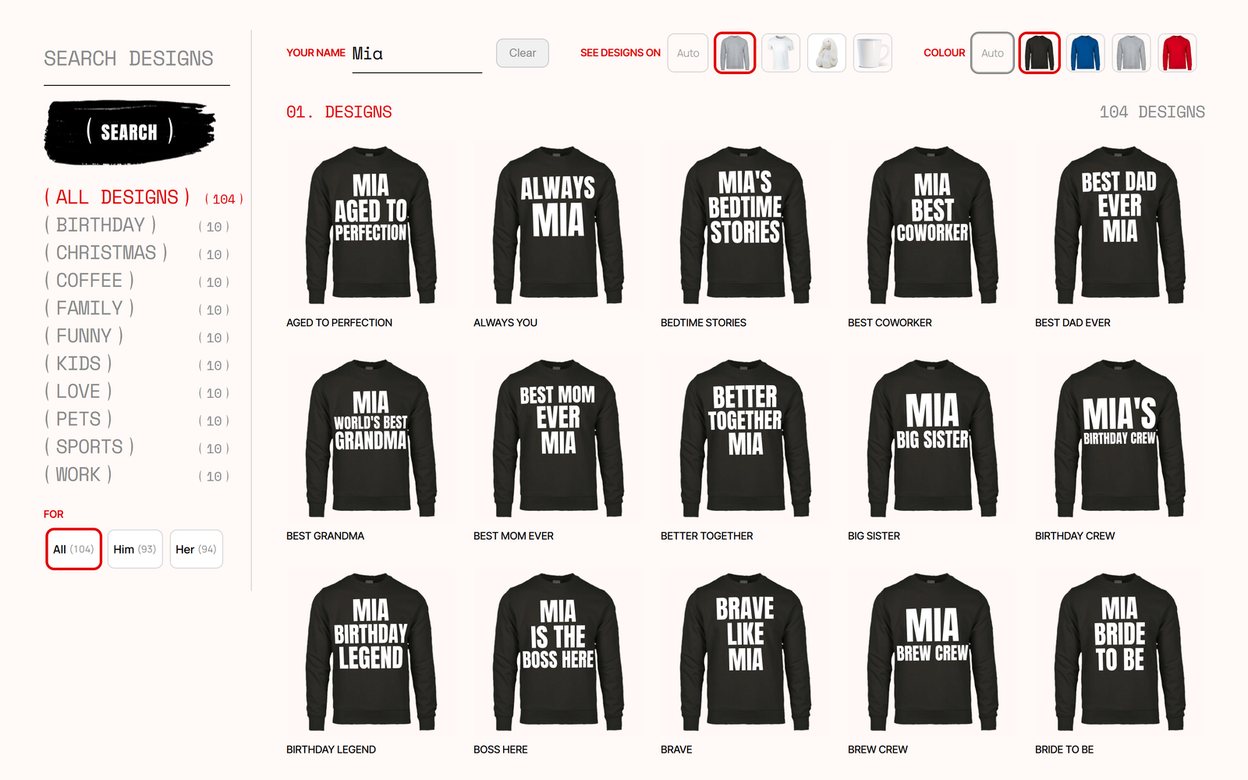
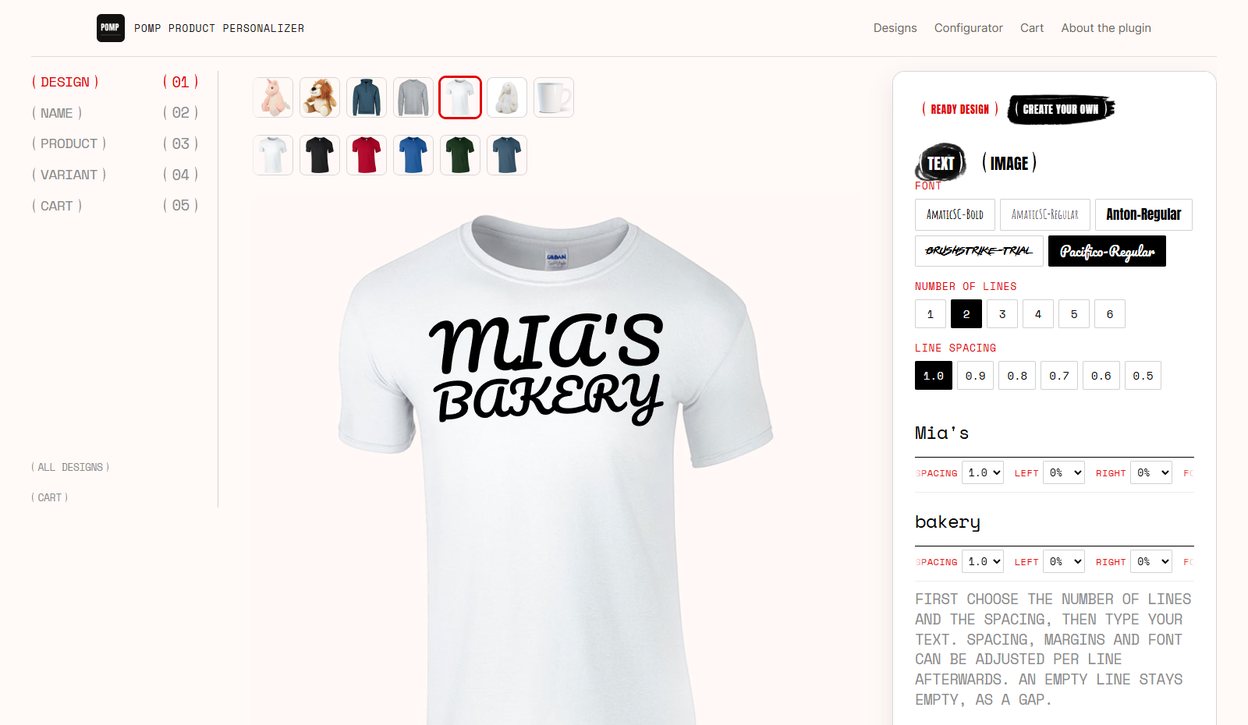
This is the model behind most name mugs, birthday shirts and personalised gifts, and it is what Pomp Product Personalizer does: one catalogue of designs, every design on every product you set up, a live preview on the product photo, and a print-ready SVG or PDF with each order. Pro adds the two things customers most often ask a designer for: their own text, written in full, line by line, in the fonts you allow, and their own logo or picture, uploaded as SVG or an image. Both are drawn on the product as they go, and an upload is checked, rebuilt for print and approved by you before its file is issued. It covers most of what a t-shirt designer is bought for, without the empty canvas and without files you cannot print. Pro also prints on up to five sides of one product, named by you, such as the back of a shirt or both sides of a mug, each shown on its own photo of the real product, which covers the other common reason shops look at a designer.
Configurators and add-ons
A visual configurator, such as Product Configurator for WooCommerce, swaps layered images as the customer chooses options. It is built for products put together from parts; text on the product comes as a paid add-on.
Product add-ons plugins add form fields to the product page. They are the cheapest way to take a name with an order, and the right tool when nobody needs to see it. How to add a custom text field to a WooCommerce product compares them with a few lines of code.
What to check before you buy any of them
- What arrives with the order. A screenshot, a PDF, an SVG with live fonts, or an SVG with text converted to outlines? Only outlines print the same on every machine without the font installed. Ask for a sample file.
- Where it runs. A hosted service keeps designs and files on its servers and usually charges monthly, sometimes with a fee per sale. A plugin runs on your own server. Neither is wrong, but the running cost over three years is very different.
- How it behaves on a phone. Most personalised gifts are bought on a phone. Try the vendor’s demo on one, all the way to the cart.
- Curved products. A flat print laid on a mug or a cap looks wrong. Check whether the preview bends with the surface, and whether the print file stays flat; print placement and warp explains why both matter.
- A free version. Some of these run only on a paid plan, with a trial at the start. Check what still works when the trial ends.
- Your theme and cache. Designers are heavy JavaScript, and cache plugins that combine scripts break more of them than anything else. Test on a copy of your own shop.
For a side-by-side list, see the best WooCommerce product personalizer plugins, where each is placed by the kind of shop it suits.