
Comparison
Pomp Product Personalizer vs product add-ons plugins
Product add-ons plugins are the most common way WooCommerce shops take a customer’s name: a text field on the product page, saved with the order. They are popular for good reasons. In their free versions they also stop where a personalized product starts to be hard, which is showing the name and printing it.
Written by the maker of Pomp. Details of the other plugins are from their wordpress.org listings and woocommerce.com, checked in September 2026.
The plugins in question
| Plugin | Price | Active installs |
|---|---|---|
| Advanced Product Fields for WooCommerce | Free; premium adds uploads, swatches and formulas | 50,000+ |
| PPOM, Product Addons and Custom Fields | Free; paid Pro version | 20,000+ |
| Flexible Product Fields | Free; paid Pro version | 10,000+ |
| WooCommerce Product Add-Ons | Around 69 a year, from woocommerce.com | Not listed on wordpress.org |
| Pomp Product Personalizer | Free; Pro 99 euro a year | New in September 2026 |
What each kind does with a name
| Add-ons plugin | Pomp | |
|---|---|---|
| Takes the name | In a text field | In the design, or in a text field on the product page with Pro |
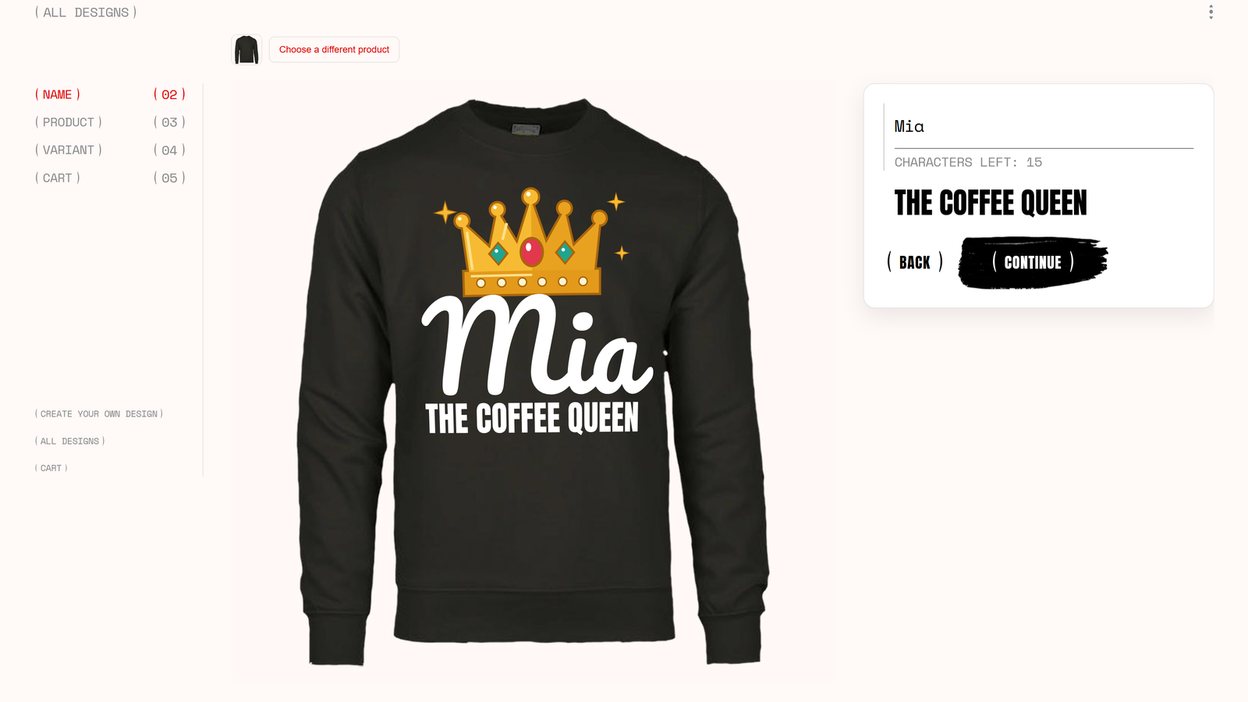
| Shows the name on the product | Not in the free versions; PPOM’s paid Pro adds a text preview on the product image | Yes, drawn on the product photo as it is typed |
| Fits the name to the print area | Not part of what they list | Yes, in the design’s font and place |
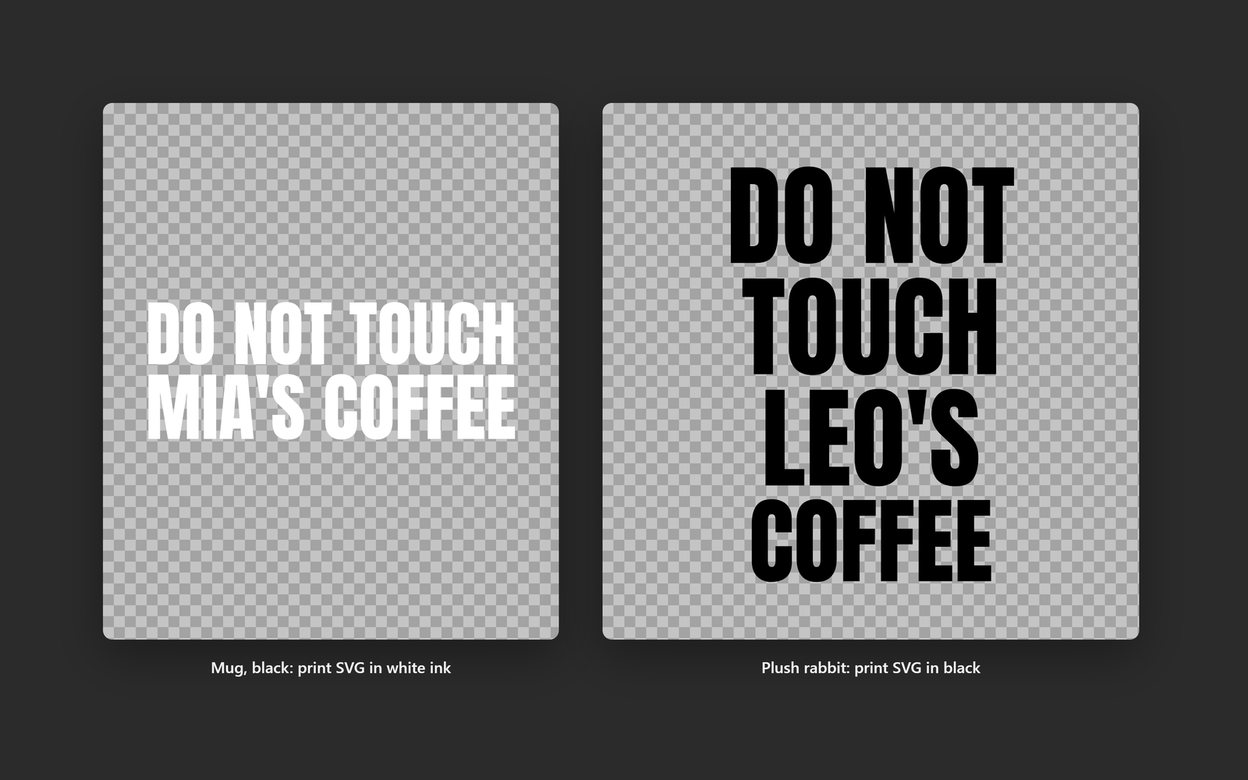
| What arrives with the order | The text; none of them lists a print-ready file | The text and a print-ready SVG or PDF in the shape of the print area |
| Where the text sits and how it looks | Not their job: they collect the text | Print area, rotation, colour per variation and a warp grid per product; each line with its own height, position, margins and colour |
| Customer uploads a logo or picture | A file upload field in several of them; the file arrives as the customer sent it | In Pro: previewed on the product, checked and rebuilt for print, approved by you before the file is issued |
| Customer writes their own text in full | A text area | In Pro: line by line, in the fonts you allow, drawn on the product as it is typed |
| Other fields: dates, dropdowns, prices per option | Yes, that is their strength | No; it does personalization only |
Why Pomp is the better choice
- The name is what the customer pays for. A name mug, a jersey, an engraved board. When the customer sees their name on the product before paying, the doubt that stops the sale goes away.
- You print or engrave the name. Every order arrives with an SVG or a PDF, text converted to vector outlines, in the shape of that product’s print area. Nobody retypes it, and nobody misspells it on the way.
- Customers send their own logo. An upload field takes whatever arrives, blurry photos and SVGs with live fonts included. Pomp Pro shows the upload on the product, refuses an image too small to print, rebuilds an SVG for print, and holds it for your approval.
- You sell the same designs on many products. Set each product up once, its print area, colour per variation and warp for curved surfaces, and every design works on all of them, looking right on each. More in print placement and warp.
When an add-ons plugin is enough
An add-ons plugin collects text; Pomp shows it on the product and prints it. Where nobody needs to see or print the text, the simpler tool is enough:
- Nobody needs to see the text. A gift message, a delivery date, a note for the engraver who sets it by hand anyway.
- You need many kinds of field. Add-ons plugins do dropdowns, checkboxes, date pickers, conditional fields and prices per option; Pomp keeps to personalization.
- Your volume is low. At a few orders a week, typing each name into your design software is not a burden.
Using both
They do not compete for the same job, and they can live on the same shop. Many shops keep an add-ons plugin for gift wrap, delivery notes and options, and use Pomp for every product where the name is printed. If all you need today is the field, how to add a custom text field to a WooCommerce product shows the add-ons route and a code snippet that needs no plugin at all.